|
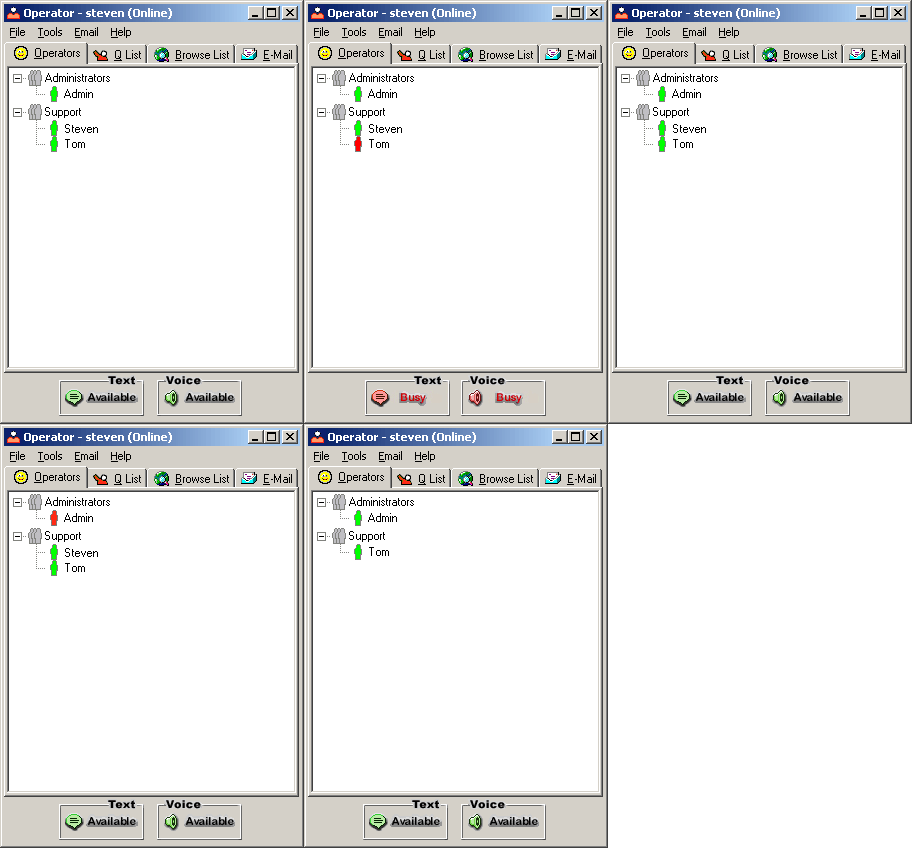
This is the main window of the Livehelper operator console. From here operators can take advantage of all of Livehelper's features including monitoring site traffic and answering calls.
When an operator first logs in, their status is set to available. When they receive a call their status changes according to the type of chat received. If the operator would like to they can simply click on the 2 available buttons displayed below to make themselves available for another call. Operators can have an unlimited number of calls concurrently but our research has shown that on average they can handle between 1 and 4 calls.
A operator can also set him or herself as unavailable at any time if he or she needs to work on something else but would still like to have site information available.

Administrators can also be set to never receive calls directly but are available so that operators can transfer calls to them that they are unable to answer themselves. |